

Cartesia numbers
Provision US numbers from Cartesia.
Twilio
Import numbers from your Twilio account.
SIP trunk
Connect numbers from your SIP carrier.
Manage numbers
View and manage every number on the Phone Numbers page in the Playground or through the Phone Numbers API.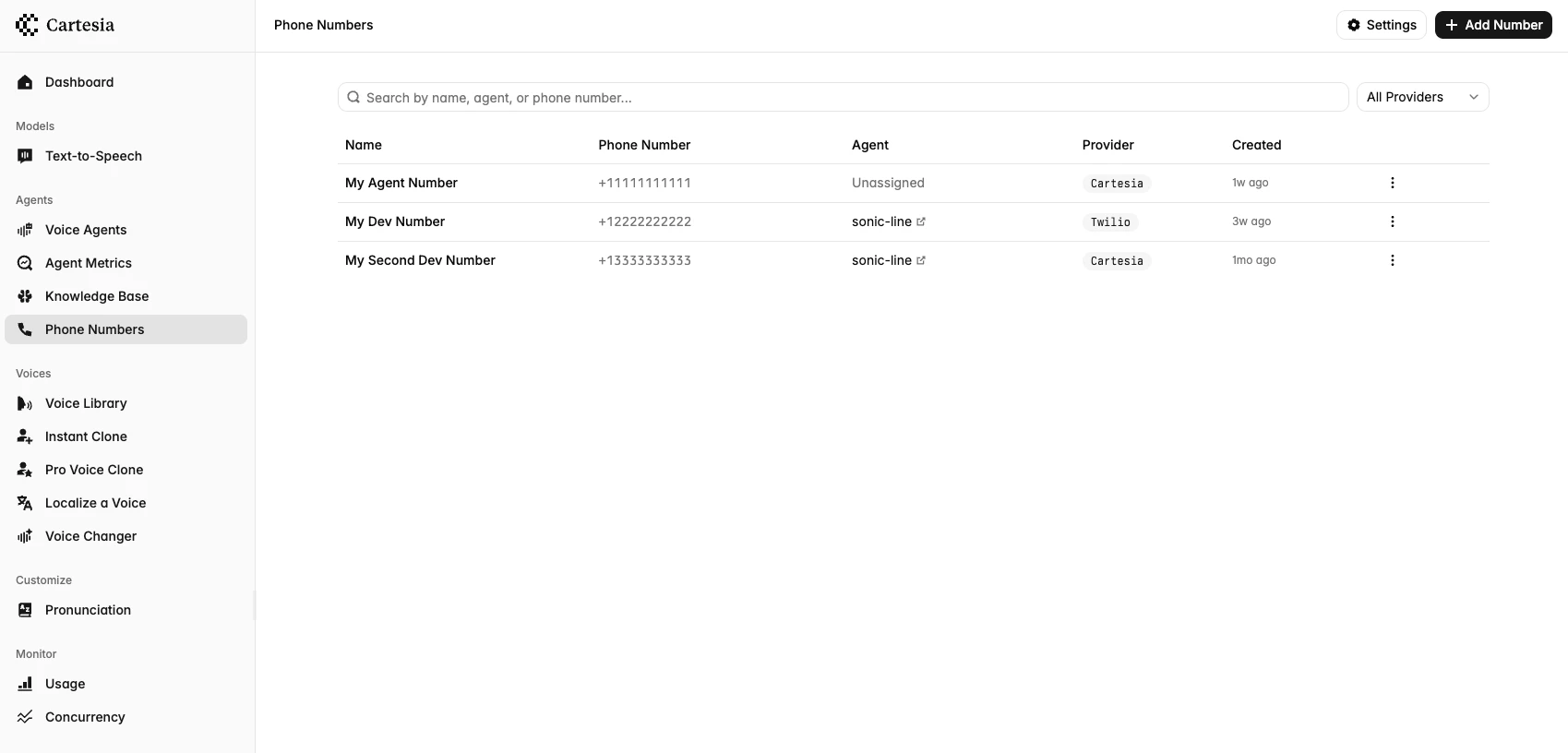
Phone numbers in the Playground
Assign an inbound agent
Assigning a phone number to an agent routes inbound calls on that number to the agent. A number is assigned to one agent at a time, and an agent can have several numbers.- Playground
- API
- Open the phone number’s detail page.
- In the Agent card, search for and select your agent.
Outbound calls
Any number on your account can place outbound calls, whether or not it is assigned to an agent. Pass its ID asfrom_number_id when you place an outbound call.
Delete a number
Deletion behavior depends on the provider:- Cartesia number: Unassign it first. Deletion releases the number permanently.
- Twilio number: It can be deleted while assigned to an agent. Cartesia disconnects the agent and attempts to clear the Twilio webhook, but leaves the number in Twilio. See Remove a Twilio number.
- SIP trunk number: Unassign it first. Deletion removes it from Cartesia and detaches it from the trunk.