

config.system_tools supports end_call, send_dtmf, transfer_to_number, skip_turn, and voicemail_detection.
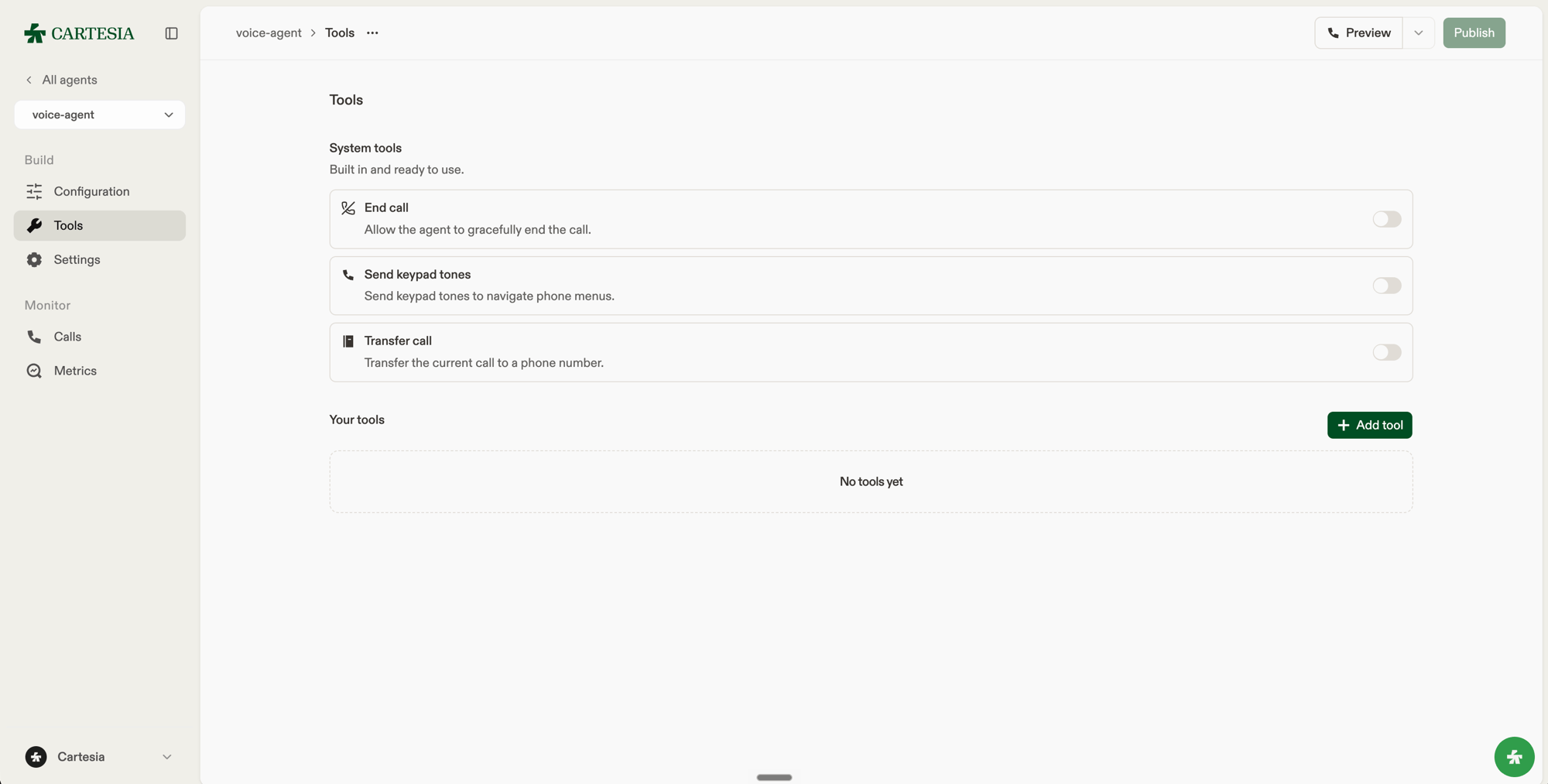
Turn system tools on from the Tools page in the Playground.
null. In config.system_tools for a PATCH request:
- Omit the tool to leave its current setting unchanged.
- Send
nullto disable the tool. - Send the config object to enable or update any tool settings.
end_call, send_dtmf, skip_turn, and voicemail_detection, {} enables a disabled tool with defaults or preserves an enabled tool’s settings. To enable transfer_to_number, provide a list of transfer destinations (transfers).
For all our system tools, we recommend keeping the default description, which is optimized for our system. However, if you’d like more control, you can set description to direct how and when the agent invokes the tool. Set it to null to use the built-in description.
pre_tool_speech controls whether the agent speaks before acting. auto lets the agent decide, force asks it to speak first, and off doesn’t ask it to.
End call
Allows the agent to end a call when the conversation is complete or the caller asks to hang up.Skip turn
Skips the agent’s response when the caller asks for a moment. Setwait_timeout_secs to temporarily extend the check-in timeout; user speech or DTMF restores the original timing.
Voicemail detection
Allows the agent to detect voicemail and end the call. Setmessage to leave a spoken message before hanging up; it plays without interruption, even when pre_tool_speech is off. The call’s end_reason is voicemail_detected.
Send DTMF
Allows the agent to send one or more keypad tones, such as12#, while navigating a phone menu. Supported tones are 0 through 9, *, and #.
Transfer to number
Transfers a phone call to a configured destination. For each destination, provide a phone number in E.164 format, such as+14155550123, a SIP URI such as sip:user@host, or a dynamic variable such as {{transfer_number}}. Add a condition that tells the model when to use it.
Set the destinations with Update agent, using your agent ID:
transfer_number in the outbound call request or through a webhook assignment. A variable used as a phone destination must contain a valid E.164 number when the transfer runs. Conditions and tool descriptions also support dynamic variables.
In the Playground, open Tools, enable Transfer call, and choose Phone number, SIP URI, or Dynamic variable for each rule’s Destination.
Set type to "sip_uri" and provide sip_uri in the form sip:user@host or sips:user@host, using a lowercase scheme and including both a user and a host.
The sip_uri can also be a single dynamic variable, such as {{sip_uri}}, whose value is the complete SIP URI when the transfer runs. Variables inside a URI, such as sip:{{user}}@host, are not supported. In the Playground, choose Dynamic variable for the rule’s Destination and set Destination type to SIP URI.
Transfers require a Twilio or SIP-trunked phone call; SIP URI destinations require SIP trunking.
On Playground and v1 WebSocket calls, the tool returns an error instead of transferring the call.