

- Frequently asked questions: Equip your agent with answers to common customer questions
- Employee handbooks: Talk a new hire through PTO accrual, expense reimbursement, or open-enrollment deadlines.
- Product catalogs: Quote prices, configurations, and stock when a caller asks about an item by name or SKU.
- Support runbooks: Surface troubleshooting steps and known-issue workarounds for a tier-1 support agent.
What does a knowledge base look like?
Documents you upload to Cartesia are organized into folders. Agents can be granted access to the contents of folders, which comprise the agent’s knowledge base. Queries made by an agent only search documents in folders attached to that agent, so your organization can keep separate corpora for different agents without leaking content across them.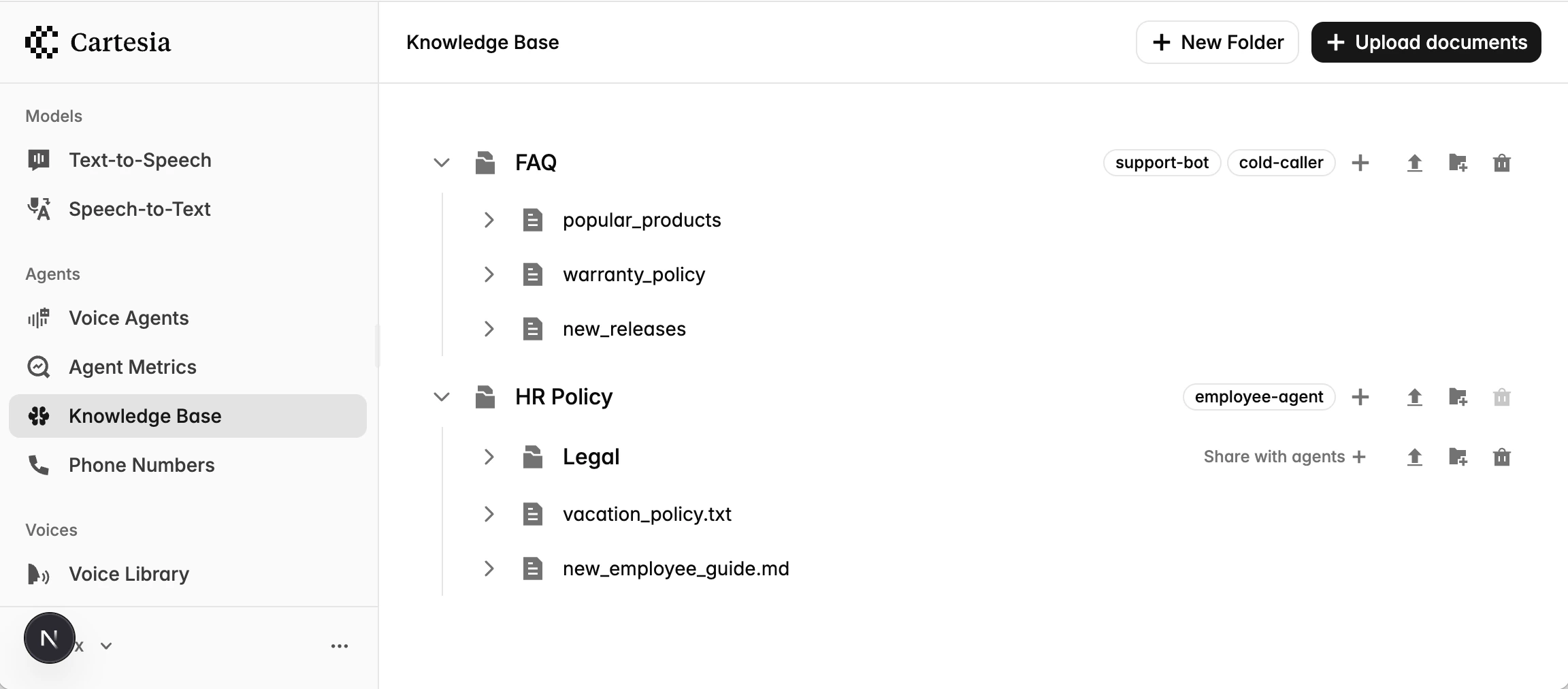
Upload documents
Create a folder, then add documents to it. Folders can be nested within parent folders.- Playground
- API
1
Create a folder
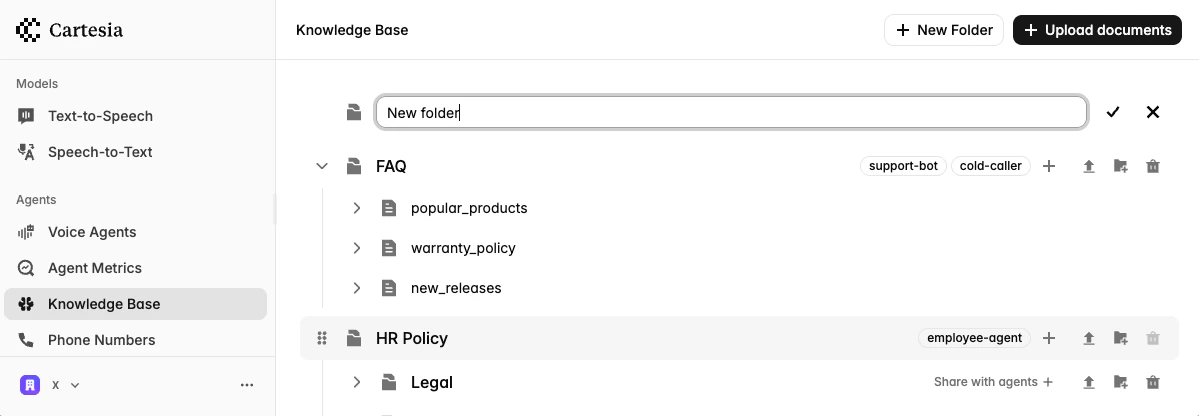
- Go to Knowledge Base in the sidebar
- Click New folder and enter a name
2
Upload a document
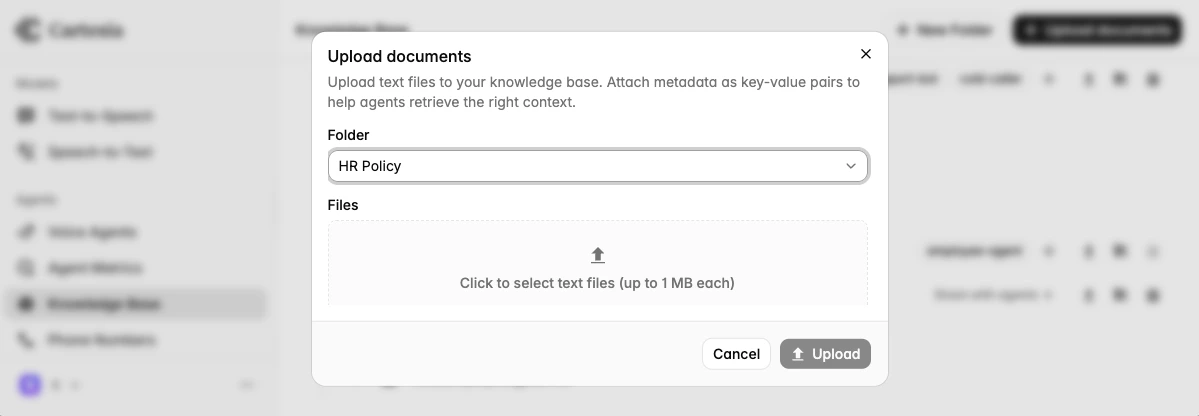
- Click the Upload document icon on the folder you wish to upload documents to.
- Select the files from your computer
- Add any metadata you want to filter by later.
Associate folders with an agent
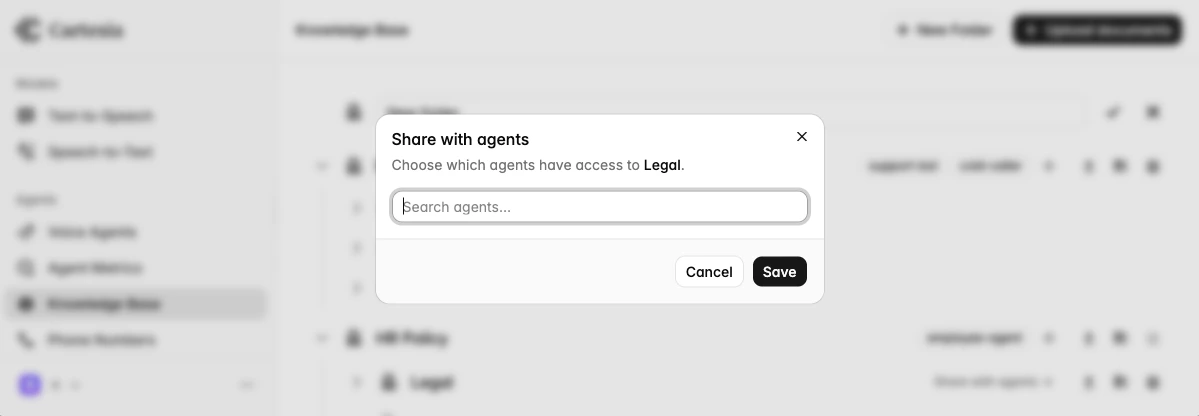
Attach folders to an agent to make them queryable from the agent’sknowledge_base tool. Only folders attached to the agent are searched; an agent with no folders attached returns empty results from every query. Changes take effect immediately for in-progress and future calls.
- Playground
- API
Using the knowledge base from your agent
knowledge_base tool
knowledge_base is a built-in tool. Drop it into an agent’s tools list and the LLM calls it on its own when it needs to look something up.
Call the knowledge base directly
For custom retrieval logic—reranking, post-filtering, fanning out multiple queries—call theKnowledgeBase client directly from inside your own tool:
ctx.knowledge_base() returns a KnowledgeBase instance authenticated with the agent’s session-scoped token. No setup is required—the SDK wires this up when the call starts.
kb.query(...) raises KnowledgeBaseError on timeout, transport failure, or non-200 responses. Catch it if you want to fall back to a different code path; the built-in knowledge_base tool already handles this for you.
See below for the options accepted by kb.query(...).
Parameters
Filter syntax
Filters are a flat{metadata_key: metadata_value} map. Each entry is an equality match against a document’s metadata; multiple entries are combined with AND.