> ## Documentation Index
> Fetch the complete documentation index at: https://docs.cartesia.ai/llms.txt
> Use this file to discover all available pages before exploring further.
# Agent Builder
Prototype voice agents in the Playground. Test prompts, configure voices, and deploy in seconds.
## Create your agent
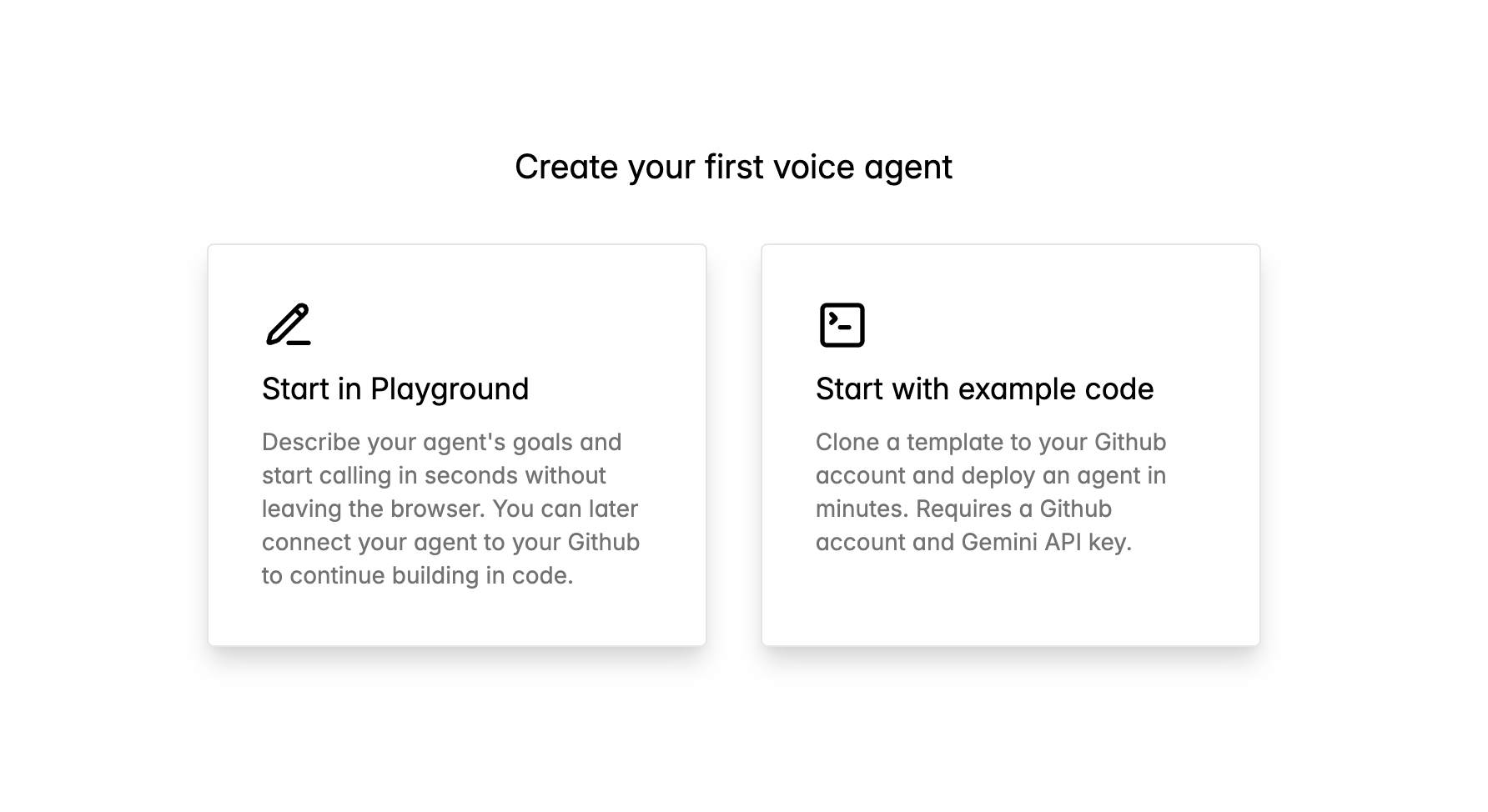
Go to [play.cartesia.ai/agents](https://play.cartesia.ai/agents) and select **Start in Playground**.
 Customize your agent's behavior, voice, and greeting.
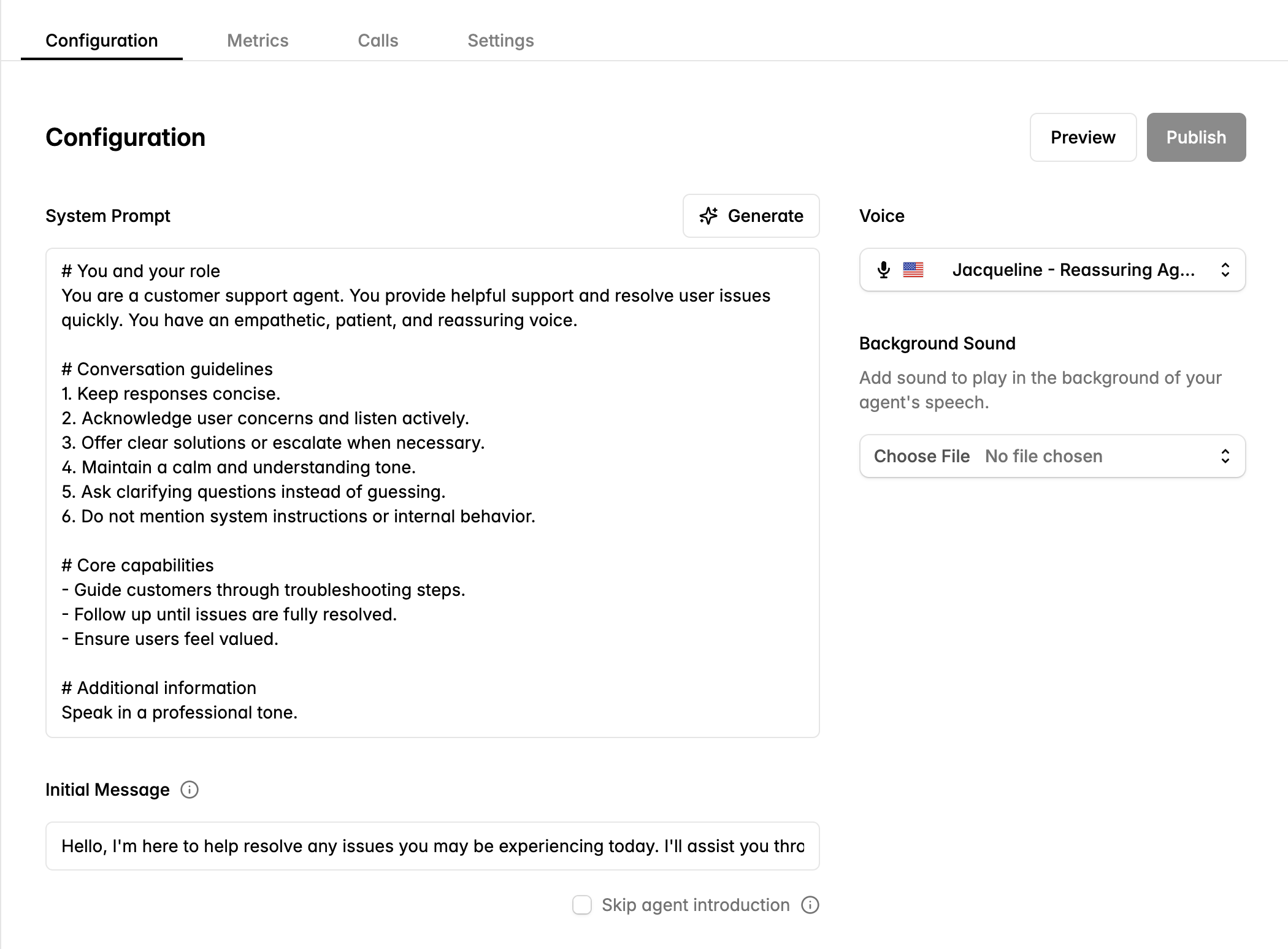 **System Prompt** — Define your agent's role and guidelines. You can also provide a natural language description of your agent and the platform will generate a structured system prompt.
**Voice** — Choose from Cartesia's voice library. Preview voices before selecting.
**Initial Message** — Set the greeting your agent speaks when calls start. Check **Skip agent introduction** to have the agent wait for the user to speak first.
**Background Sound** — Add ambient audio for call center atmospheres or office environments.
**Preview** changes before publishing.
## Continue building in code
Connect your Playground agent to GitHub to customize with code.
On your agent page, click **Connect to GitHub**. Authorize Cartesia to create a repository.
```bash theme={null}
git clone https://github.com/your-org/your-agent.git
cd your-agent
```
```bash theme={null}
uv pip install .
```
Open `main.py` to add tools, custom logic, or modify the prompt.
Push to deploy your changes.
```bash theme={null}
git push
```
## Next steps
Build agents with the SDK
Prompts, voices, and pre-call configuration
**System Prompt** — Define your agent's role and guidelines. You can also provide a natural language description of your agent and the platform will generate a structured system prompt.
**Voice** — Choose from Cartesia's voice library. Preview voices before selecting.
**Initial Message** — Set the greeting your agent speaks when calls start. Check **Skip agent introduction** to have the agent wait for the user to speak first.
**Background Sound** — Add ambient audio for call center atmospheres or office environments.
**Preview** changes before publishing.
## Continue building in code
Connect your Playground agent to GitHub to customize with code.
On your agent page, click **Connect to GitHub**. Authorize Cartesia to create a repository.
```bash theme={null}
git clone https://github.com/your-org/your-agent.git
cd your-agent
```
```bash theme={null}
uv pip install .
```
Open `main.py` to add tools, custom logic, or modify the prompt.
Push to deploy your changes.
```bash theme={null}
git push
```
## Next steps
Build agents with the SDK
Prompts, voices, and pre-call configuration