> ## Documentation Index
> Fetch the complete documentation index at: https://docs.cartesia.ai/llms.txt
> Use this file to discover all available pages before exploring further.
# Cartesia Numbers
> Provision and manage Cartesia phone numbers for your voice agents.
Create free phone numbers using Cartesia. The number of free phone numbers depends on your subscription plan:
| Plan | Phone number slots |
| ---------- | ------------------ |
| Free | 1 |
| Pro | 3 |
| Startup | 5 |
| Scale | 10 |
| Enterprise | Custom |
Cartesia-provisioned numbers have a few limitations:
* **US numbers only** — all Cartesia-managed numbers are from the US
* **Outbound to US only** — outbound calls are limited to US destination numbers, regardless of agent deployment region
 ## Provisioning a Number
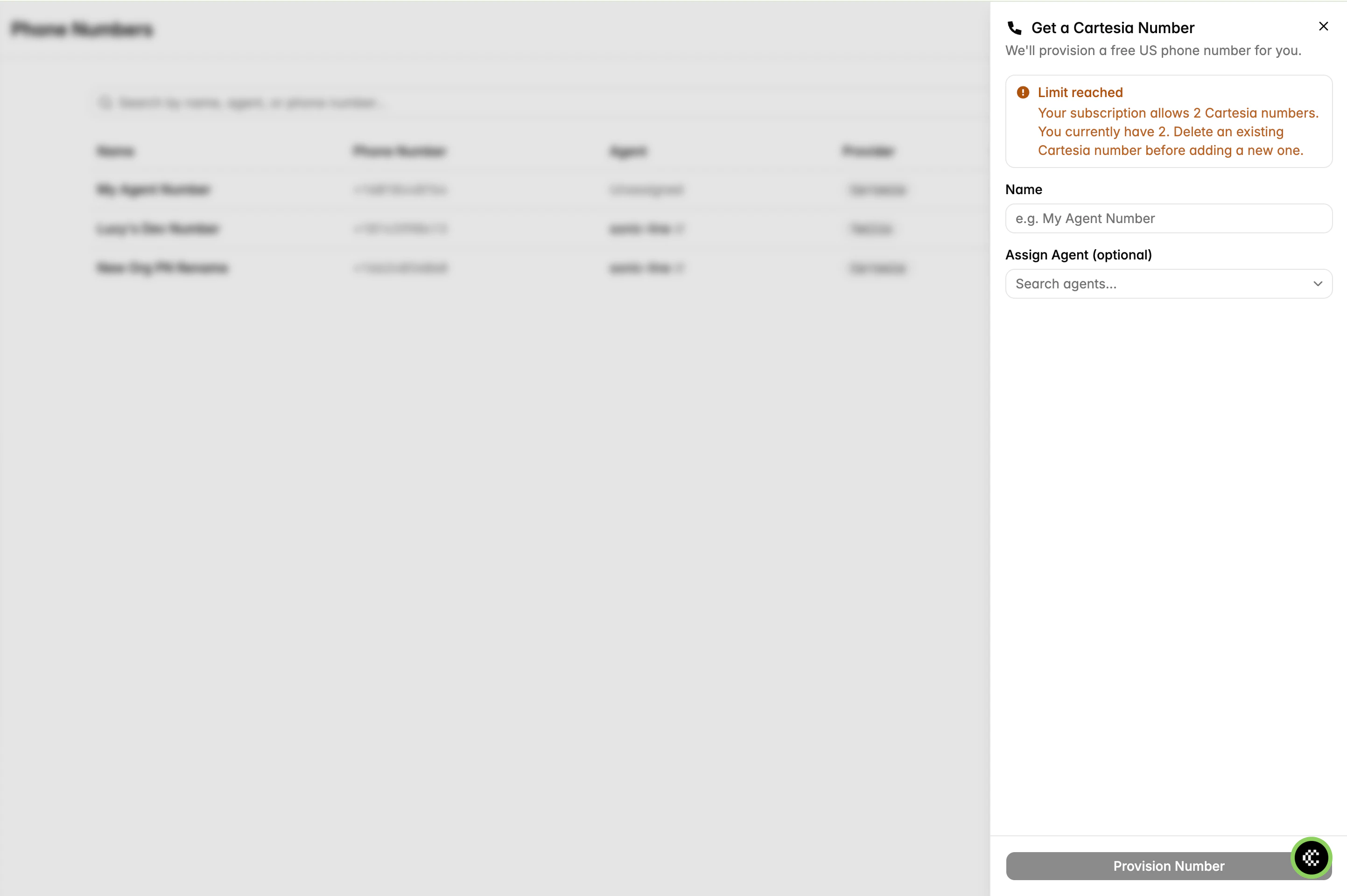
1. Go to **Phone Numbers** in the sidebar
2. Click **Add Number** → **Cartesia Number**
3. Enter a name for the number
4. Optionally assign an agent
## Provisioning a Number
1. Go to **Phone Numbers** in the sidebar
2. Click **Add Number** → **Cartesia Number**
3. Enter a name for the number
4. Optionally assign an agent
 ```zsh lines theme={null}
cartesia phone-numbers provision "My Agent Number"
```
Provision and assign to an agent in one step:
```zsh lines theme={null}
cartesia phone-numbers provision "My Agent Number" --agent-id
```
```bash theme={null}
curl -X POST "https://api.cartesia.ai/agents/phone-numbers/provision" \
-H "Authorization: Bearer $CARTESIA_API_KEY" \
-H "Content-Type: application/json" \
-H "Cartesia-Version: 2026-03-01" \
-d '{
"label": "My Agent Number"
}'
```
If you've reached your phone number limit, delete an existing Cartesia number or upgrade your plan to add more.
## Deleting a Number
Deletion is permanent — the number is released and cannot be recovered.
1. Go to **Phone Numbers** and click on the number
2. Unassign the number from any agent
3. Click **Delete**
```zsh lines theme={null}
cartesia phone-numbers delete
```
If the number is assigned to an agent, the CLI prompts you to unassign it first.
Unassign the number first, then delete it:
```bash theme={null}
curl -X DELETE "https://api.cartesia.ai/agents/phone-numbers/YOUR_PHONE_NUMBER_ID" \
-H "Authorization: Bearer $CARTESIA_API_KEY" \
-H "Cartesia-Version: 2026-03-01"
```
```zsh lines theme={null}
cartesia phone-numbers provision "My Agent Number"
```
Provision and assign to an agent in one step:
```zsh lines theme={null}
cartesia phone-numbers provision "My Agent Number" --agent-id
```
```bash theme={null}
curl -X POST "https://api.cartesia.ai/agents/phone-numbers/provision" \
-H "Authorization: Bearer $CARTESIA_API_KEY" \
-H "Content-Type: application/json" \
-H "Cartesia-Version: 2026-03-01" \
-d '{
"label": "My Agent Number"
}'
```
If you've reached your phone number limit, delete an existing Cartesia number or upgrade your plan to add more.
## Deleting a Number
Deletion is permanent — the number is released and cannot be recovered.
1. Go to **Phone Numbers** and click on the number
2. Unassign the number from any agent
3. Click **Delete**
```zsh lines theme={null}
cartesia phone-numbers delete
```
If the number is assigned to an agent, the CLI prompts you to unassign it first.
Unassign the number first, then delete it:
```bash theme={null}
curl -X DELETE "https://api.cartesia.ai/agents/phone-numbers/YOUR_PHONE_NUMBER_ID" \
-H "Authorization: Bearer $CARTESIA_API_KEY" \
-H "Cartesia-Version: 2026-03-01"
```