> ## Documentation Index
> Fetch the complete documentation index at: https://docs.cartesia.ai/llms.txt
> Use this file to discover all available pages before exploring further.
# Pro Voice Clone
> Create near replica voices by leveraging more of your data
## Why use Pro Voice Cloning?
A Professional Voice Clone (PVC) is a voice that uses a fine-tune of our TTS model on your data, which allows it to create an almost exact replica of the voice it hears, including accent, speaking style, and audio quality.
Compared to [Instant Voice Cloning](/build-with-cartesia/capability-guides/clone-voices), Pro Voice Cloning can capture the exact nuances of your hours of studio-quality audio voice data.
 ## Overview
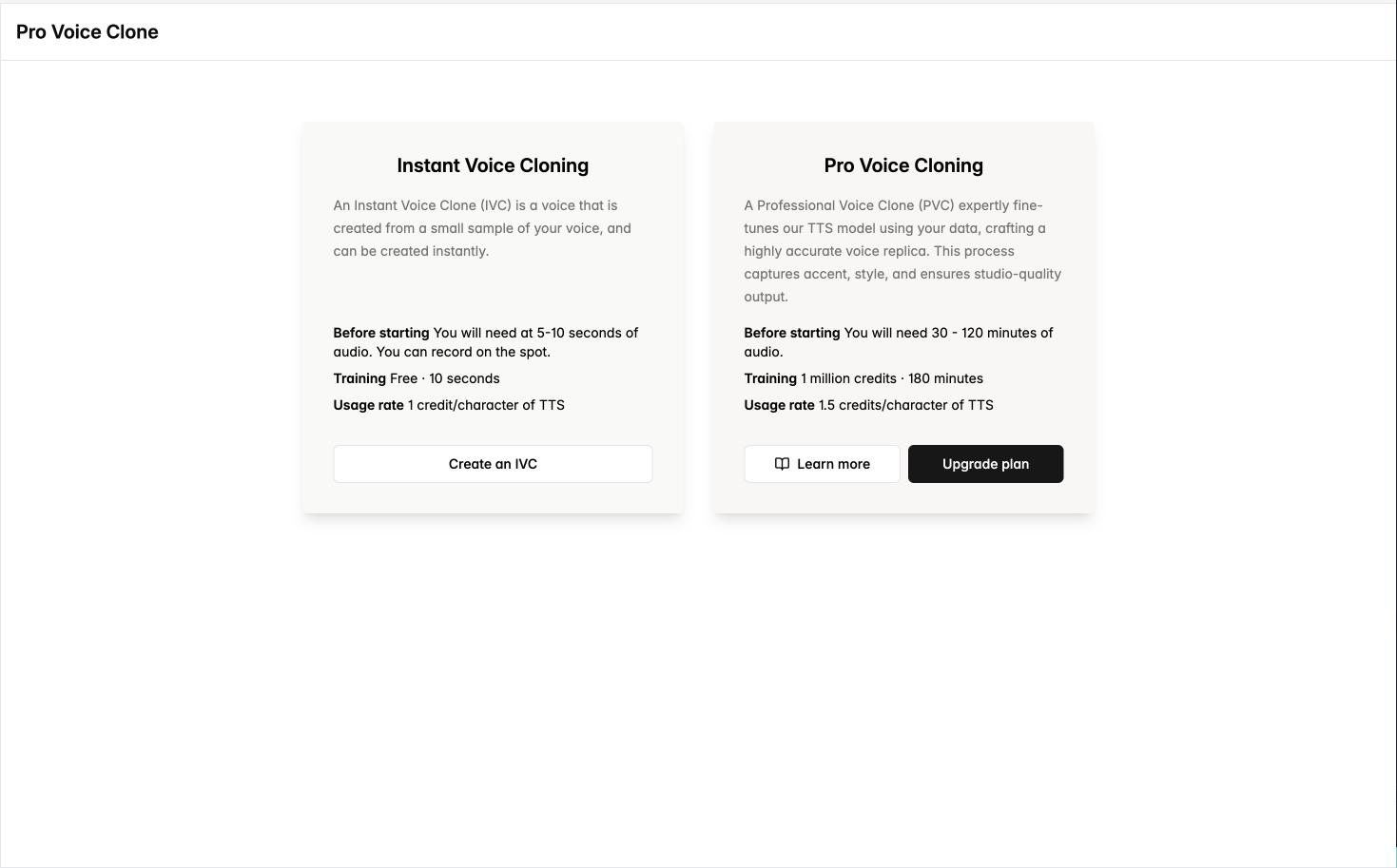
Pro Voice Cloning is available for anyone with a Cartesia subscription of Startup or higher. It allows you to create highly accurate voice clones by leveraging a larger amount of data compared to instant cloning.
| Feature | Required audio data | Pricing: cost to create | Pricing: cost to use for TTS |
| ------------------- | ------------------- | ----------------------- | ---------------------------- |
| Instant Voice Clone | 10 seconds | Free | 1 credit per character |
| Pro Voice Clone | 30 minutes | 1M credits on success | 1.5 credits per character |
When you create a Pro Voice Clone, Cartesia first fine-tunes a model on your data, then creates Voices from selected clips of your data. These Voices are tied to the fine-tuned model and will be automatically used with these Voices for text-to-speech.
## Overview
Pro Voice Cloning is available for anyone with a Cartesia subscription of Startup or higher. It allows you to create highly accurate voice clones by leveraging a larger amount of data compared to instant cloning.
| Feature | Required audio data | Pricing: cost to create | Pricing: cost to use for TTS |
| ------------------- | ------------------- | ----------------------- | ---------------------------- |
| Instant Voice Clone | 10 seconds | Free | 1 credit per character |
| Pro Voice Clone | 30 minutes | 1M credits on success | 1.5 credits per character |
When you create a Pro Voice Clone, Cartesia first fine-tunes a model on your data, then creates Voices from selected clips of your data. These Voices are tied to the fine-tuned model and will be automatically used with these Voices for text-to-speech.
 ## Creating a PVC via the Playground
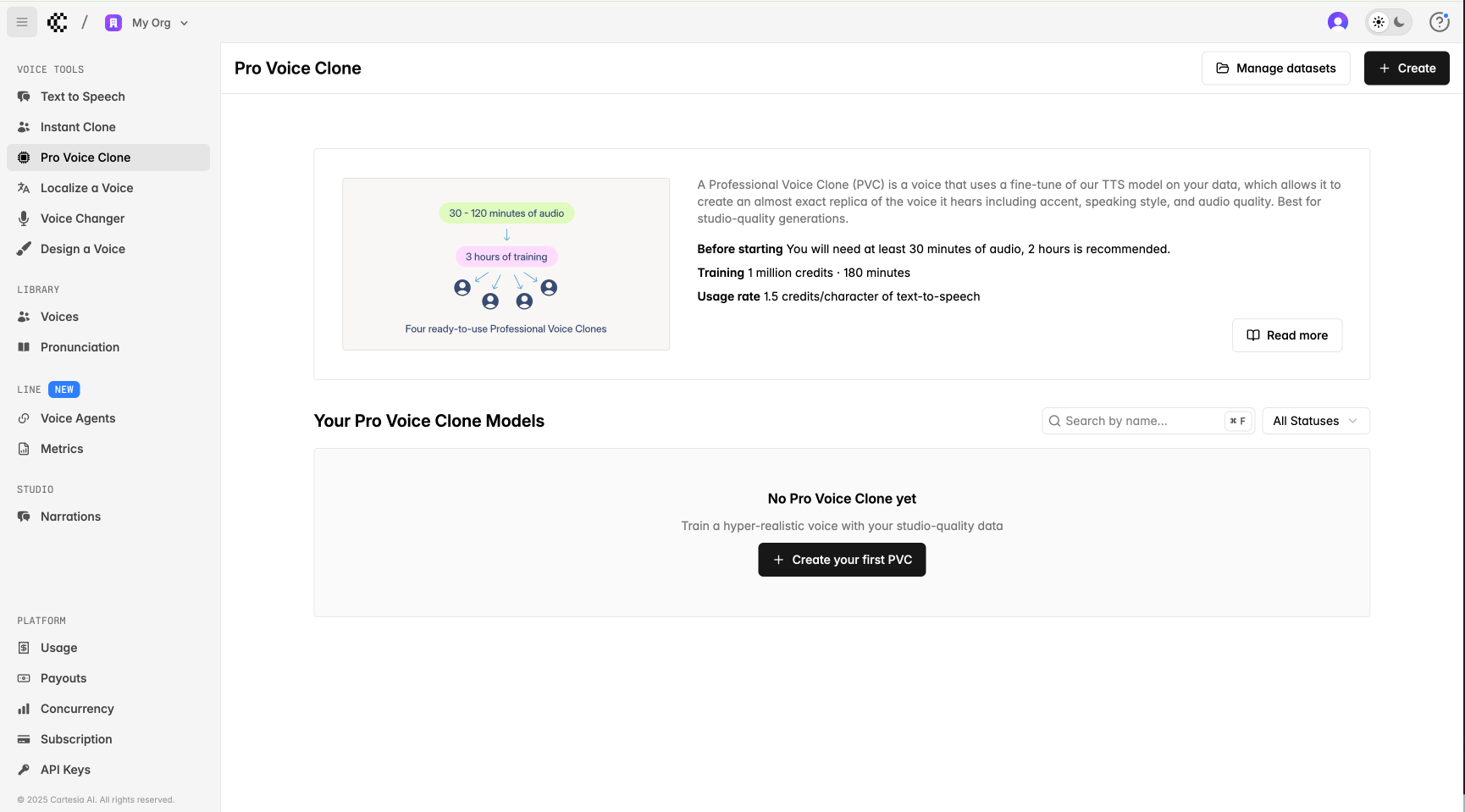
You can visit the [Pro Voice Clone](https://play.cartesia.ai/pro-voice-cloning) page on our playground to create a PVC. You can also find all your PVCs and their statuses (i.e. Draft, Failed, Training, Completed) here.
## Creating a PVC via the Playground
You can visit the [Pro Voice Clone](https://play.cartesia.ai/pro-voice-cloning) page on our playground to create a PVC. You can also find all your PVCs and their statuses (i.e. Draft, Failed, Training, Completed) here.
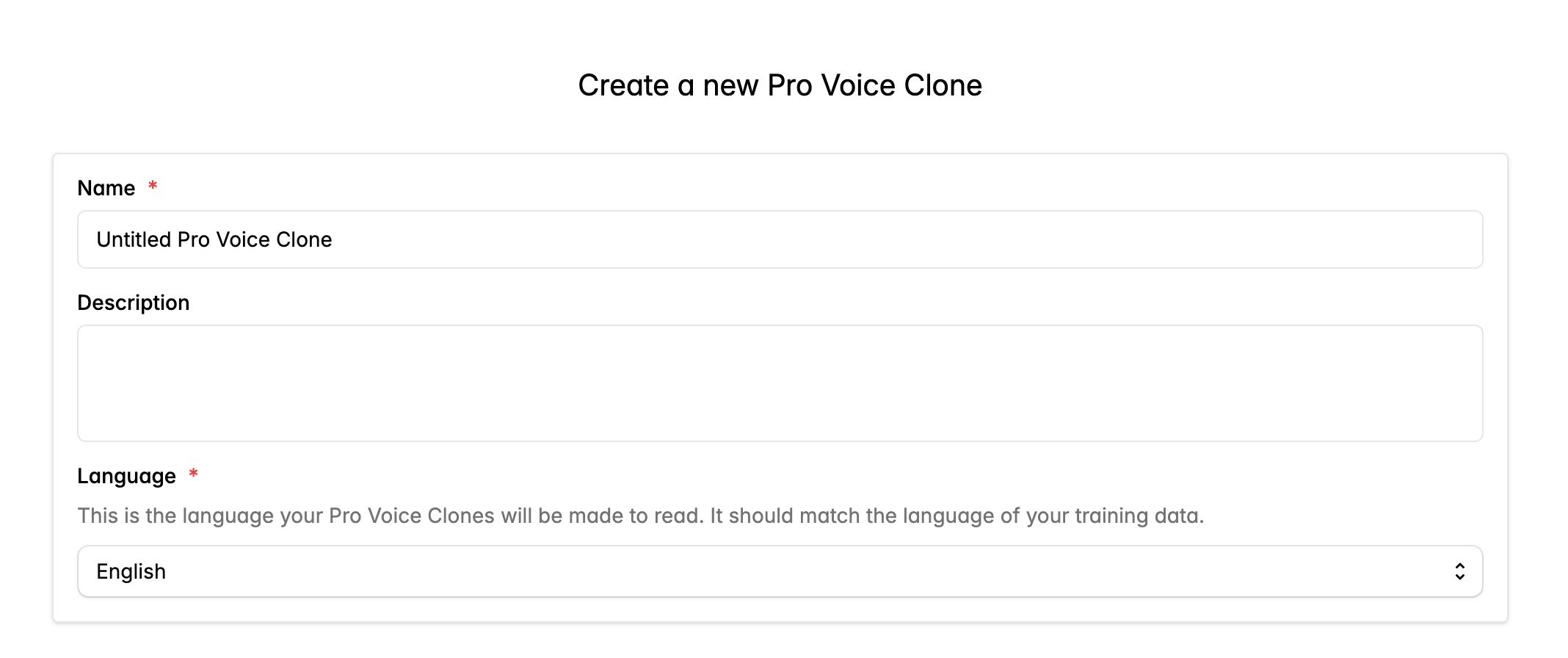
 Fill out the form to create a Pro Voice Clone.
 Then, upload all of the audio files you want to use for training. You can upload multiple
files at once. Files must be one of the following audio formats:
* .wav
* .mp3
* .flac
* .ogg
* .oga
* .ogx
* .aac
* .wma
* .m4a
* .opus
* .ac3
* .webm
Pro Voice Clones require a minimum of 30 minutes of audio, but we recommend 2 hours of audio for optimal balance of quality and effort. The Pro Voice Clone will closely match your uploaded data, so make sure it sounds the way you like in terms of background noise, loudness, and speech quality.
Generally, it's better to upload audio with only the speaker you wish to clone. Multi-speaker audio can interfere with cloning quality.
Then, upload all of the audio files you want to use for training. You can upload multiple
files at once. Files must be one of the following audio formats:
* .wav
* .mp3
* .flac
* .ogg
* .oga
* .ogx
* .aac
* .wma
* .m4a
* .opus
* .ac3
* .webm
Pro Voice Clones require a minimum of 30 minutes of audio, but we recommend 2 hours of audio for optimal balance of quality and effort. The Pro Voice Clone will closely match your uploaded data, so make sure it sounds the way you like in terms of background noise, loudness, and speech quality.
Generally, it's better to upload audio with only the speaker you wish to clone. Multi-speaker audio can interfere with cloning quality.
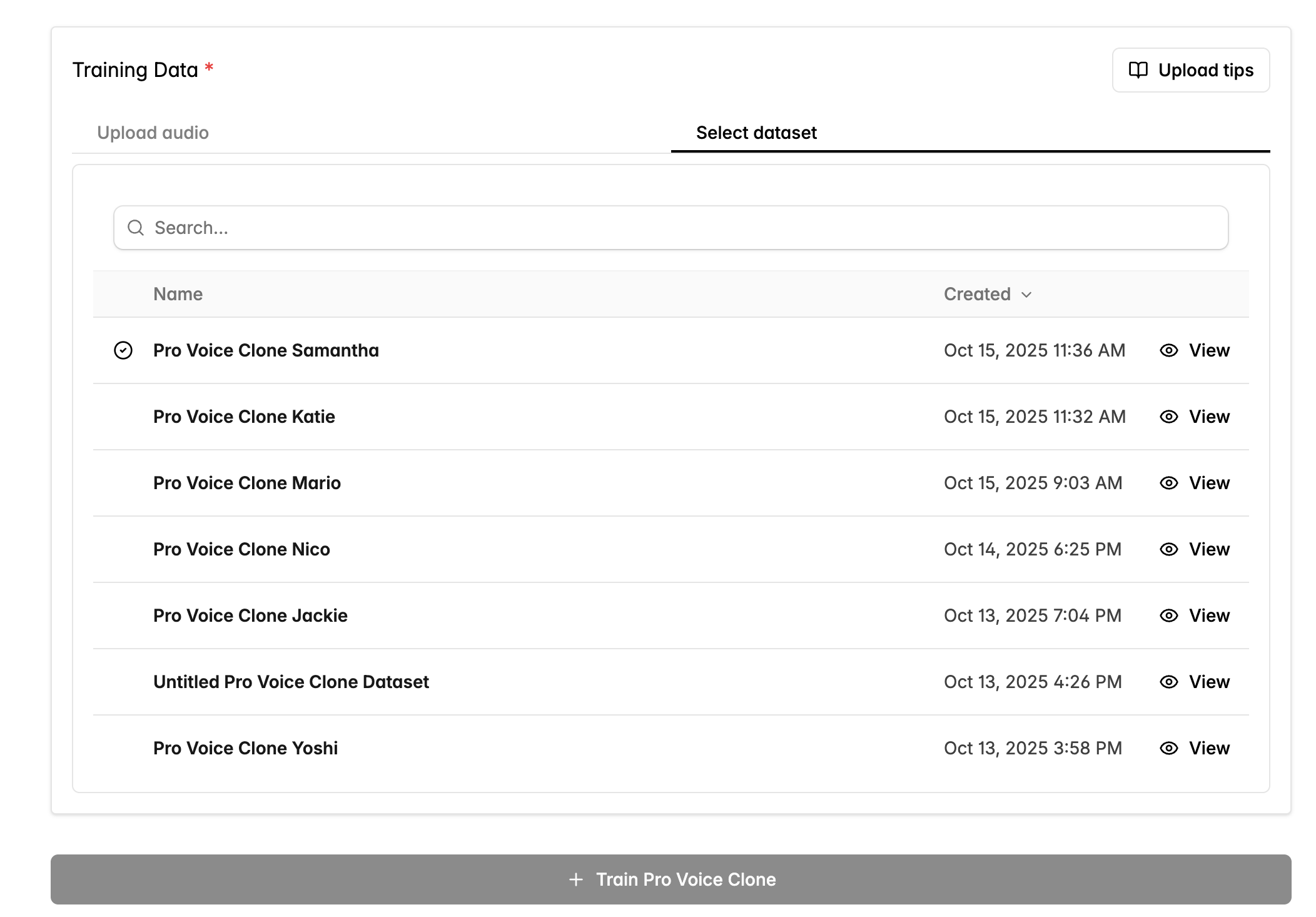
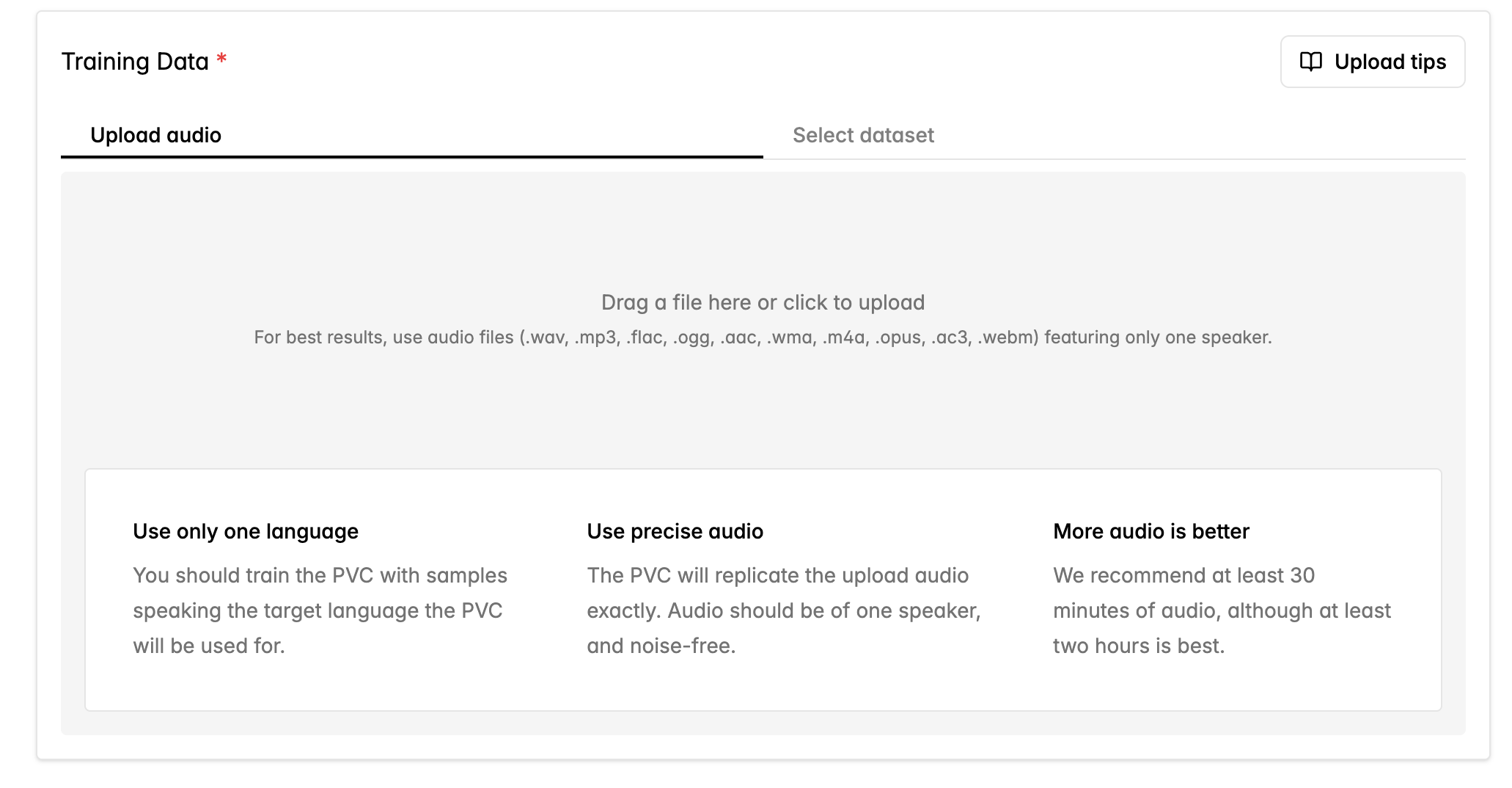 If you also reused data from past Pro Voice Clones, switch to the **Select dataset** tab to view previous datasets. These datasets can be edited separately from your PVCs and are helpful for managing your audio files.
 Training should take 3 hours to complete. You'll only be charged if the training is successful. If training fails, you can click the `Re-attempt Training` button to try again or contact [support](mailto:support@cartesia.ai) if the failures persist.
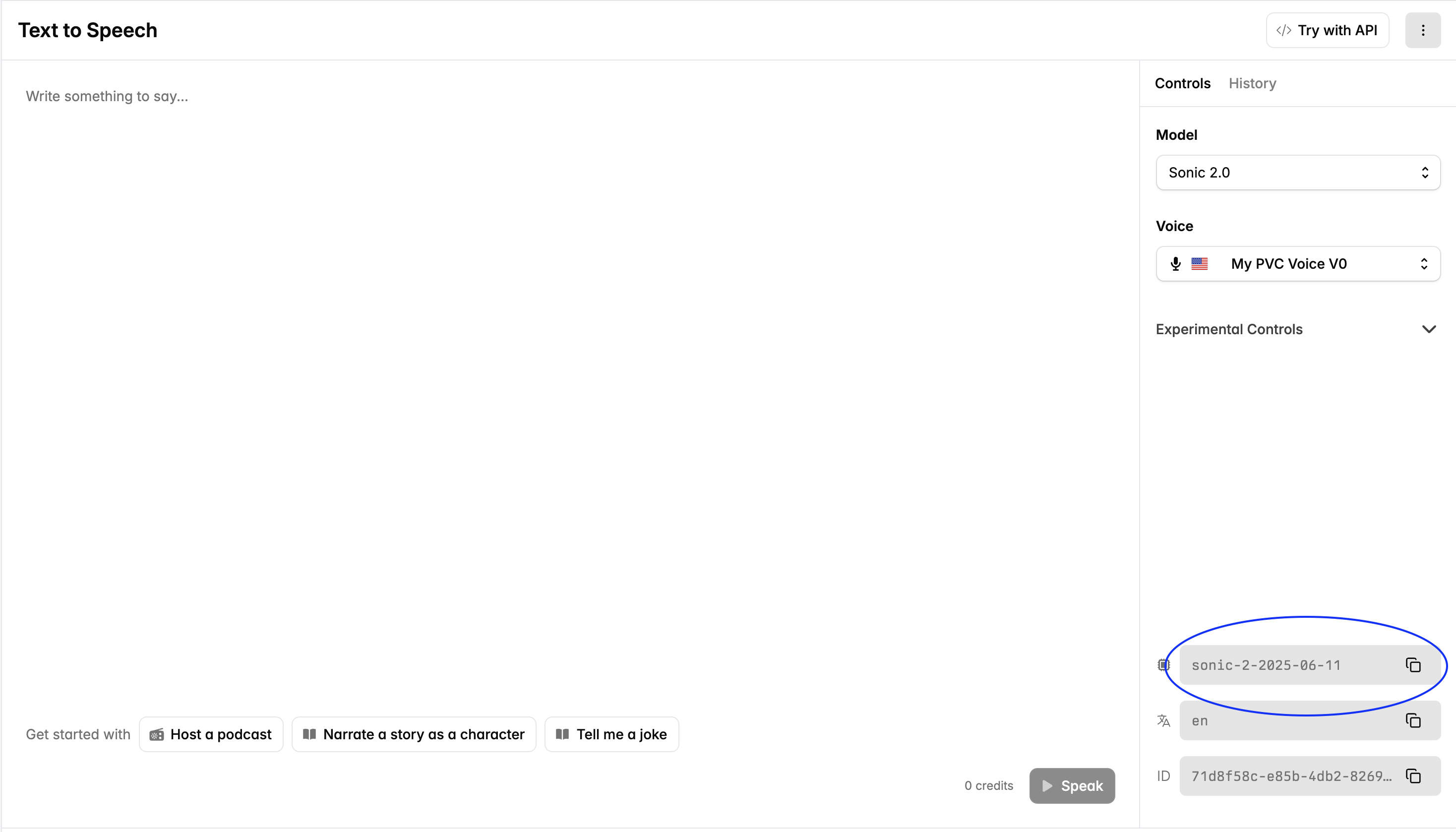
Once training is complete, we'll automatically create four Voices based on different source audio clips from your dataset. These Voices are internally linked to your fine-tuned model, which will be used when you specify the model ID of the fine-tuned model in your requests.
The Voices are also available in the Voice Library under My Voices and can be used through the API.
Training should take 3 hours to complete. You'll only be charged if the training is successful. If training fails, you can click the `Re-attempt Training` button to try again or contact [support](mailto:support@cartesia.ai) if the failures persist.
Once training is complete, we'll automatically create four Voices based on different source audio clips from your dataset. These Voices are internally linked to your fine-tuned model, which will be used when you specify the model ID of the fine-tuned model in your requests.
The Voices are also available in the Voice Library under My Voices and can be used through the API.
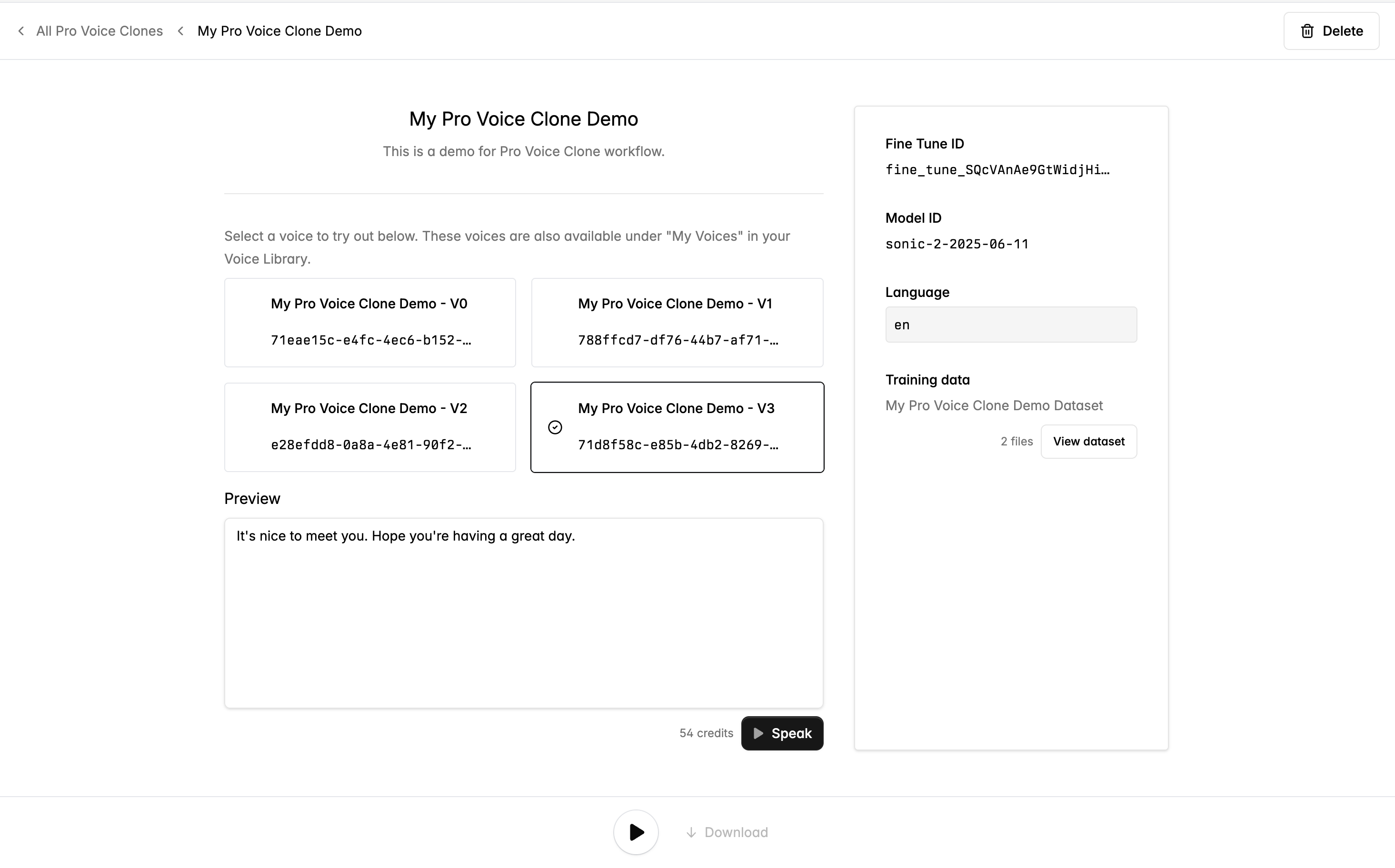 **Note about base model updates:**
We've fine-tuned the latest base model available in production, which is reflected in the displayed model ID. This means that the fine-tuned model is fixed to this particular model ID and will not be activated if you use a different `model-id`. PVCs will not automatically be updated for future base models, and will need to be retrained on each new base model.
Retraining a new fine-tuned model with new data or the latest base model will again cost 1M credits.
## Creating a PVC via the API
You can also create PVCs programmatically via the API.
Some key endpoints are:
1. [Datasets: Create](/api-reference/datasets/create) (holds your training data)
2. [Datasets: Upload file](/api-reference/datasets/upload-file) (uploads your training data)
3. [Fine Tunes: Create](/api-reference/fine-tunes/create) (creates a fine-tuned model)
4. [Fine Tunes: List Voices](/api-reference/fine-tunes/list-voices) (PVCs that you can use for generating audio)
Here's a complete script to create PVCs:
> **Prerequisites**
>
> 1. You have a **Cartesia API key** (export it as `CARTESIA_API_KEY`).
> 2. You have at least 1M credits on your account.
> 3. You have a folder called `samples/` with one or more `.wav` files.
```python lines theme={null}
"""
End-to-end Pro Voice Cloning example.
Steps
-----
1. Create a dataset.
2. Upload audio files from samples/ to the dataset.
3. Kick off a fine-tune from that dataset.
4. Poll until fine-tune is completed.
5. Get the voices produced by the fine-tune.
"""
import os
import time
from pathlib import Path
import requests
API_BASE = "https://api.cartesia.ai"
API_HEADERS = {
"Cartesia-Version": "2025-04-16",
"Authorization": f"Bearer {os.environ['CARTESIA_API_KEY']}",
}
def create_dataset(name: str, description: str) -> str:
"""POST /datasets → dataset id."""
res = requests.post(
f"{API_BASE}/datasets",
headers=API_HEADERS,
json={"name": name, "description": description},
)
res.raise_for_status()
return res.json()["id"]
def upload_file_to_dataset(dataset_id: str, path: Path) -> None:
"""POST /datasets/{dataset_id}/files (multipart/form-data)."""
with path.open("rb") as fp:
res = requests.post(
f"{API_BASE}/datasets/{dataset_id}/files",
headers=API_HEADERS,
files={"file": fp, "purpose": (None, "fine_tune")},
)
res.raise_for_status()
def create_fine_tune(dataset_id: str, *, name: str, language: str, model_id: str) -> str:
"""POST /fine-tunes → fine-tune id."""
body = {
"name": name,
"description": "Pro Voice Clone demo",
"language": language,
"model_id": model_id,
"dataset": dataset_id,
}
res = requests.post(f"{API_BASE}/fine-tunes", headers=API_HEADERS, json=body, timeout=60)
res.raise_for_status()
return res.json()["id"]
def wait_for_fine_tune(ft_id: str, every: float = 10.0) -> None:
"""Poll GET /fine-tunes/{id} until status == completed."""
start = time.monotonic()
while True:
res = requests.get(f"{API_BASE}/fine-tunes/{ft_id}", headers=API_HEADERS)
res.raise_for_status()
status = res.json()["status"]
print(f"fine-tune {ft_id} -> {status}. Elapsed: {time.monotonic() - start:.0f}s")
if status == "completed":
return
if status == "failed":
raise RuntimeError(f"fine-tune ended with status={status}")
time.sleep(every)
def list_voices(ft_id: str) -> list[dict]:
"""GET /fine-tunes/{id}/voices → list of voices."""
res = requests.get(f"{API_BASE}/fine-tunes/{ft_id}/voices", headers=API_HEADERS)
res.raise_for_status()
return res.json()["data"]
if __name__ == "__main__":
# Create the dataset
DATASET_ID = create_dataset("PVC demo", "Samples for a Pro Voice Clone")
print("Created dataset:", DATASET_ID)
# Upload .wav files to the dataset
for wav_path in Path("samples").glob("*.wav"):
upload_file_to_dataset(DATASET_ID, wav_path)
print(f"Uploaded {wav_path.name} to dataset {DATASET_ID}")
# Ask for confirmation before kicking off the fine-tune
confirmation = input(
"Are you sure you want to start the fine-tune? It will cost 1M credits upon successful completion (yes/no): "
)
if confirmation.lower() != "yes":
print("Fine-tuning cancelled by user.")
exit()
# Kick off the fine-tune
FINE_TUNE_ID = create_fine_tune(
DATASET_ID,
name="PVC demo",
language="en",
model_id="sonic-2",
)
print(f"Started fine-tune: {FINE_TUNE_ID}")
# Wait for training to finish
wait_for_fine_tune(FINE_TUNE_ID)
print("Fine-tune completed!")
# Fetch the voices created by the fine-tune
voices = list_voices(FINE_TUNE_ID)
print("Voices IDs:")
for voice in voices:
print(voice["id"])
```
**Note about base model updates:**
We've fine-tuned the latest base model available in production, which is reflected in the displayed model ID. This means that the fine-tuned model is fixed to this particular model ID and will not be activated if you use a different `model-id`. PVCs will not automatically be updated for future base models, and will need to be retrained on each new base model.
Retraining a new fine-tuned model with new data or the latest base model will again cost 1M credits.
## Creating a PVC via the API
You can also create PVCs programmatically via the API.
Some key endpoints are:
1. [Datasets: Create](/api-reference/datasets/create) (holds your training data)
2. [Datasets: Upload file](/api-reference/datasets/upload-file) (uploads your training data)
3. [Fine Tunes: Create](/api-reference/fine-tunes/create) (creates a fine-tuned model)
4. [Fine Tunes: List Voices](/api-reference/fine-tunes/list-voices) (PVCs that you can use for generating audio)
Here's a complete script to create PVCs:
> **Prerequisites**
>
> 1. You have a **Cartesia API key** (export it as `CARTESIA_API_KEY`).
> 2. You have at least 1M credits on your account.
> 3. You have a folder called `samples/` with one or more `.wav` files.
```python lines theme={null}
"""
End-to-end Pro Voice Cloning example.
Steps
-----
1. Create a dataset.
2. Upload audio files from samples/ to the dataset.
3. Kick off a fine-tune from that dataset.
4. Poll until fine-tune is completed.
5. Get the voices produced by the fine-tune.
"""
import os
import time
from pathlib import Path
import requests
API_BASE = "https://api.cartesia.ai"
API_HEADERS = {
"Cartesia-Version": "2025-04-16",
"Authorization": f"Bearer {os.environ['CARTESIA_API_KEY']}",
}
def create_dataset(name: str, description: str) -> str:
"""POST /datasets → dataset id."""
res = requests.post(
f"{API_BASE}/datasets",
headers=API_HEADERS,
json={"name": name, "description": description},
)
res.raise_for_status()
return res.json()["id"]
def upload_file_to_dataset(dataset_id: str, path: Path) -> None:
"""POST /datasets/{dataset_id}/files (multipart/form-data)."""
with path.open("rb") as fp:
res = requests.post(
f"{API_BASE}/datasets/{dataset_id}/files",
headers=API_HEADERS,
files={"file": fp, "purpose": (None, "fine_tune")},
)
res.raise_for_status()
def create_fine_tune(dataset_id: str, *, name: str, language: str, model_id: str) -> str:
"""POST /fine-tunes → fine-tune id."""
body = {
"name": name,
"description": "Pro Voice Clone demo",
"language": language,
"model_id": model_id,
"dataset": dataset_id,
}
res = requests.post(f"{API_BASE}/fine-tunes", headers=API_HEADERS, json=body, timeout=60)
res.raise_for_status()
return res.json()["id"]
def wait_for_fine_tune(ft_id: str, every: float = 10.0) -> None:
"""Poll GET /fine-tunes/{id} until status == completed."""
start = time.monotonic()
while True:
res = requests.get(f"{API_BASE}/fine-tunes/{ft_id}", headers=API_HEADERS)
res.raise_for_status()
status = res.json()["status"]
print(f"fine-tune {ft_id} -> {status}. Elapsed: {time.monotonic() - start:.0f}s")
if status == "completed":
return
if status == "failed":
raise RuntimeError(f"fine-tune ended with status={status}")
time.sleep(every)
def list_voices(ft_id: str) -> list[dict]:
"""GET /fine-tunes/{id}/voices → list of voices."""
res = requests.get(f"{API_BASE}/fine-tunes/{ft_id}/voices", headers=API_HEADERS)
res.raise_for_status()
return res.json()["data"]
if __name__ == "__main__":
# Create the dataset
DATASET_ID = create_dataset("PVC demo", "Samples for a Pro Voice Clone")
print("Created dataset:", DATASET_ID)
# Upload .wav files to the dataset
for wav_path in Path("samples").glob("*.wav"):
upload_file_to_dataset(DATASET_ID, wav_path)
print(f"Uploaded {wav_path.name} to dataset {DATASET_ID}")
# Ask for confirmation before kicking off the fine-tune
confirmation = input(
"Are you sure you want to start the fine-tune? It will cost 1M credits upon successful completion (yes/no): "
)
if confirmation.lower() != "yes":
print("Fine-tuning cancelled by user.")
exit()
# Kick off the fine-tune
FINE_TUNE_ID = create_fine_tune(
DATASET_ID,
name="PVC demo",
language="en",
model_id="sonic-2",
)
print(f"Started fine-tune: {FINE_TUNE_ID}")
# Wait for training to finish
wait_for_fine_tune(FINE_TUNE_ID)
print("Fine-tune completed!")
# Fetch the voices created by the fine-tune
voices = list_voices(FINE_TUNE_ID)
print("Voices IDs:")
for voice in voices:
print(voice["id"])
```