> ## Documentation Index
> Fetch the complete documentation index at: https://docs.cartesia.ai/llms.txt
> Use this file to discover all available pages before exploring further.
# Tools
> Give an agent actions it can invoke during a call.
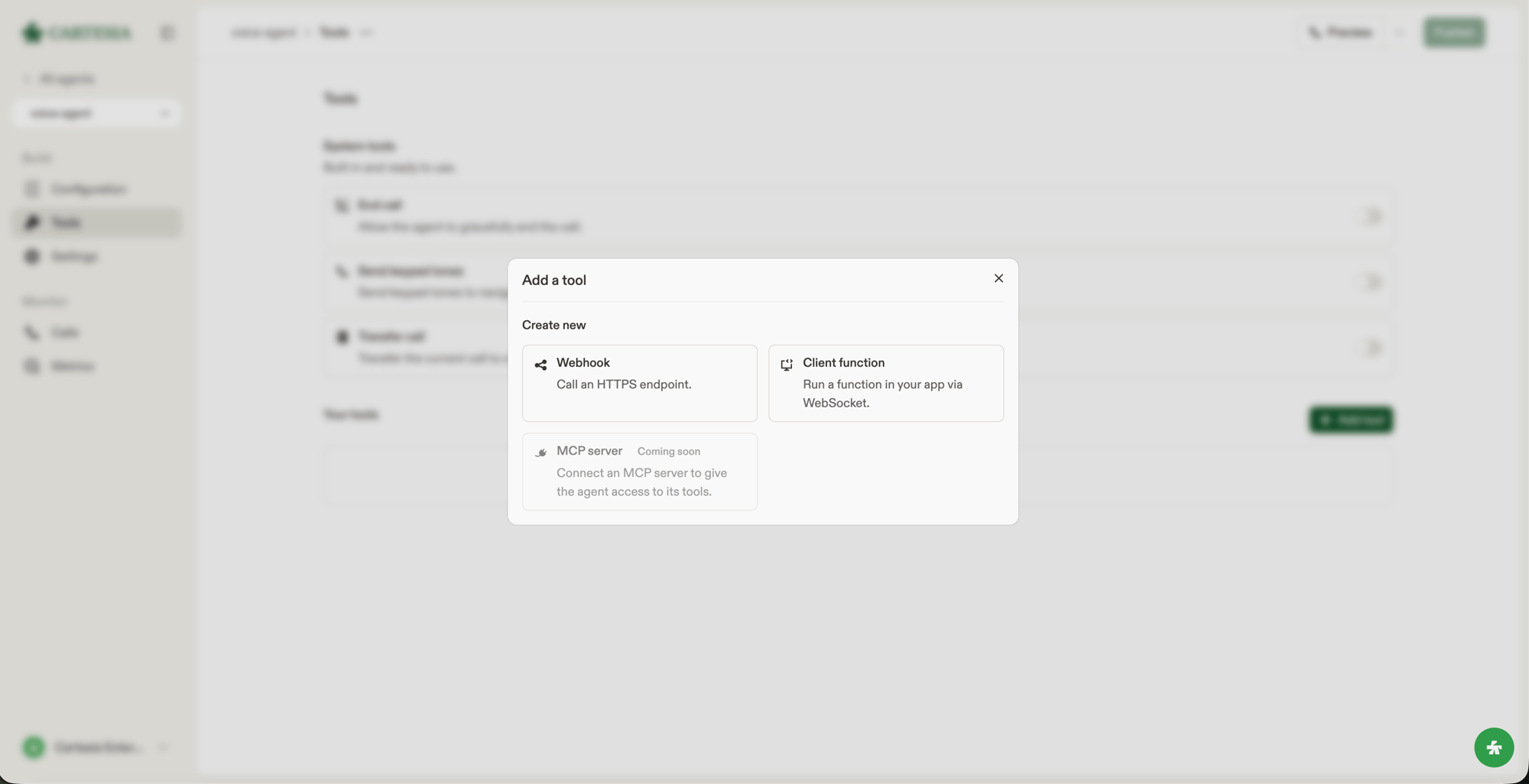
Tools let an agent end a call, transfer a caller, retrieve data, or trigger an action in your application. The model chooses a tool from its name, description, and the conversation.
Built-in actions you configure directly on an agent.
HTTP requests that Cartesia sends to your server.
Functions that your application handles over the WebSocket API.
 ## Describe a tool
The model uses a tool's `name` and `description` to decide when to invoke it. State what the tool does and when to use it.
```text theme={null}
Looks up an order by its number. Use it when the caller asks about an order's status or delivery date.
```
## Execution settings
Webhook and client tools share these settings:
| Field | Description |
| ----------------------- | --------------------------------------------------------------------------------------------------------------------------------------------------------------- |
| `pre_tool_speech` | `auto` lets the agent decide whether to speak first. `force` asks it to speak before invoking the tool. |
| `execution_mode` | `immediate` runs in the current turn and can be interrupted by the caller. `async` runs separately while the turn can finish. |
| `response_timeout_secs` | Maximum time to wait for a result, from `1` to `120` seconds. The default is `20`. On timeout, the agent continues the conversation with a tool timeout result. |
## Attach tools to an agent
Webhook and client tools are shared resources. Create one with [`POST /v1/agents/tools`](/api-reference/agents/tools/create), then add its ID to `config.tools`. An agent can reference up to 32 tools.
An update to `config.tools` replaces the complete list. A referenced tool cannot be deleted until you remove it from every current agent configuration.
[System tools](/agents/system-tools) are configured separately on `config.system_tools`.
## Describe a tool
The model uses a tool's `name` and `description` to decide when to invoke it. State what the tool does and when to use it.
```text theme={null}
Looks up an order by its number. Use it when the caller asks about an order's status or delivery date.
```
## Execution settings
Webhook and client tools share these settings:
| Field | Description |
| ----------------------- | --------------------------------------------------------------------------------------------------------------------------------------------------------------- |
| `pre_tool_speech` | `auto` lets the agent decide whether to speak first. `force` asks it to speak before invoking the tool. |
| `execution_mode` | `immediate` runs in the current turn and can be interrupted by the caller. `async` runs separately while the turn can finish. |
| `response_timeout_secs` | Maximum time to wait for a result, from `1` to `120` seconds. The default is `20`. On timeout, the agent continues the conversation with a tool timeout result. |
## Attach tools to an agent
Webhook and client tools are shared resources. Create one with [`POST /v1/agents/tools`](/api-reference/agents/tools/create), then add its ID to `config.tools`. An agent can reference up to 32 tools.
An update to `config.tools` replaces the complete list. A referenced tool cannot be deleted until you remove it from every current agent configuration.
[System tools](/agents/system-tools) are configured separately on `config.system_tools`.